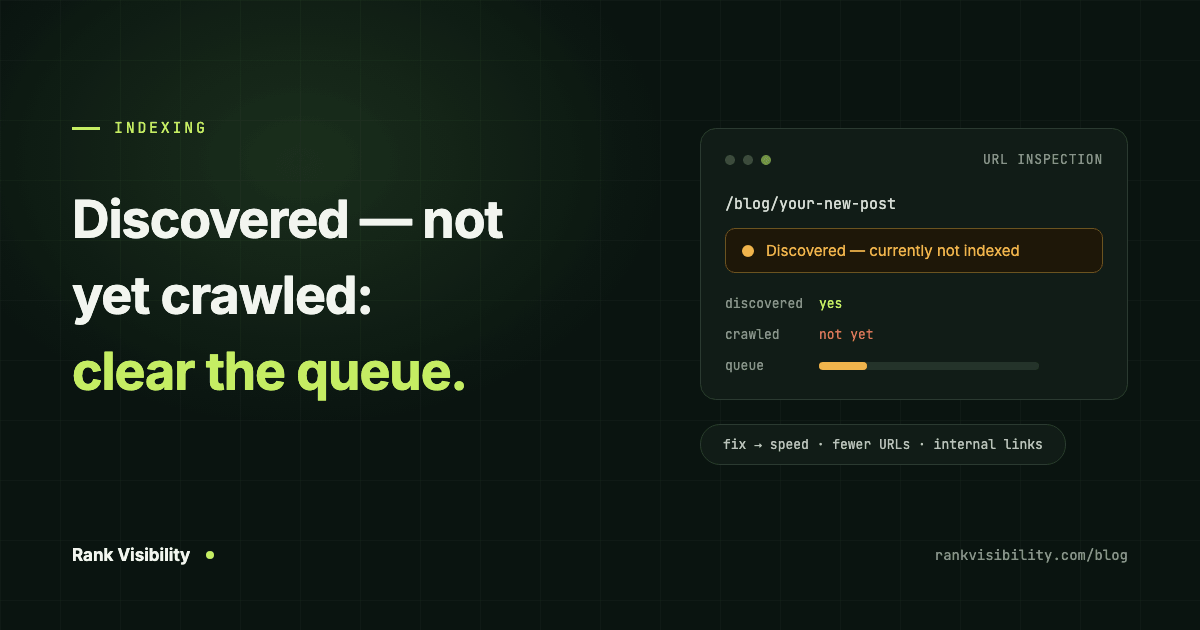
You open Search Console and find a pile of URLs under "Discovered – currently not indexed". No error message, no last crawl date, nothing to click and fix. Google knows the pages exist and has simply not got round to them.
It looks similar to its better-known sibling, "Crawled – currently not indexed", and it is often treated the same way. It should not be. The two point to different problems, and the fixes barely overlap.
What "discovered – currently not indexed" means
Google's Page Indexing report documentation defines it like this:
The page was found by Google, but not crawled yet. Typically, Google wanted to crawl the URL but this was expected to overload the site; therefore Google rescheduled the crawl. This is why the last crawl date is empty on the report.
So Google found the URL, usually through your sitemap or a link, and put it in a queue. It has not fetched the page yet. Nobody at Google has looked at your content and judged it. That part has not happened.
The official wording blames server load, and sometimes that really is the cause. In practice, on small and new sites, it is more often a question of priority. Google decides how much of your site is worth crawling, and these URLs did not make the cut yet.
Discovered vs crawled – currently not indexed
The difference comes down to one step.
Discovered means Google has not fetched the page. The problem is getting Google to spend time on it: crawl capacity, crawl priority, and how your site signals which pages matter.
Crawled means Google fetched the page, read it and decided not to index it. That is a verdict on quality and value. We covered it in detail in crawled – currently not indexed: what it means and how to fix it.
If a URL moves from discovered to crawled and stays not indexed, that is progress of a kind. Google looked. Now the question is whether the page was worth keeping.
Why Google hasn't crawled your page yet
Google rarely tells you the exact reason, but on the sites we work on it usually comes down to one of these.
Your site is new or has little authority
Every site starts with a conservative crawl limit. Google's crawl budget guide says the limit rises over time "if there is demand to crawl more and the site remains healthy". A new domain with few links and little search interest has low demand. Google crawls the homepage and a few important pages, then works through the rest slowly.
This is the most common cause on young sites, and the least satisfying, because the fix is time plus the trust-building work below.
Your server is slow or throwing errors
This is the cause Google names. The same crawl budget guide explains that if your site "slows down" or returns server errors or rate-limiting responses, "the limit goes down and Google crawls less". Cheap shared hosting, a heavy WordPress theme, or a firewall that blocks Googlebot too eagerly can all do it.
You have far more URLs than real pages
Filter combinations, tag archives, search result pages, tracking parameters, calendar pages that go on forever. Each one is a URL Google has to consider. A 200-page site can quietly expose 20,000 URLs, and Google spreads its attention across all of them. Your important pages wait in the same queue as the junk.
Google's crawl budget guide lists sites "with a large portion of their total URLs classified by Search Console as Discovered - currently not indexed" as one of the types it was written for. If most of your URLs are in this bucket, URL bloat is the first thing to check.
The pages are poorly linked
A page that exists only in your sitemap, with no internal links pointing to it, looks unimportant. Internal links are how you tell Google which pages matter. Orphan pages tend to sit in the discovered queue for a long time.
Google expects little value from them
Google can predict a lot from URL patterns. If the last fifty pages it crawled under /tag/ were thin and near-identical, it has little reason to rush the next fifty. Large batches of templated pages, such as location or product variants with only a word swapped, often end up here for this reason.
How to check what is going on
Start in Search Console.
- Page indexing report. Open the "Discovered – currently not indexed" row and look at the example URLs. Are they pages you care about, or parameter and filter junk? That one look usually tells you which cause you have.
- URL Inspection. Inspect a few important URLs from the list. Check that they are not blocked by robots.txt, that they are in your sitemap, and that the canonical is what you expect.
- Crawl stats. Under Settings, the Crawl stats report shows how many requests Google makes per day, your average response time, and any host problems. Rising response times or server errors point to the server.
- Server logs, if you can get them. They show exactly which URLs Googlebot is spending its time on. Often it is the wrong ones.
How to fix discovered – currently not indexed
Work through these roughly in order. The first three solve most cases.
- Link to the pages from pages Google already crawls. Your homepage, main service pages and popular posts. A link from a page Google visits often is the clearest signal you can send that the new page matters.
- Cut the URL bloat. Stop filter, parameter and archive URLs from being crawled in the first place. Use robots.txt for crawl traps, remove internal links to junk URLs, and make sure your sitemap lists only the canonical, indexable pages you actually want in Google. A
noindextag on its own does not help here, because Google still has to crawl the page to see it. - Speed up the server. Check your Time to First Byte and the response times in Crawl stats. Better hosting, caching and a CDN often lift crawl rate within weeks. Our post on technical SEO fixes that recover lost traffic covers this side in more depth.
- Keep your sitemap honest. Accurate
lastmoddates, no redirected or noindexed URLs, no 404s. A sitemap full of junk teaches Google to trust it less. - Publish fewer, better pages. If you are adding hundreds of thin pages, Google will crawl a sample, form a view, and slow down on the rest. A smaller set of strong pages gets crawled and indexed more reliably.
- Build reasons for Google to care. Links from other sites, mentions, and people searching for your brand all raise crawl demand. Slower than the rest, and it is what moves a new site out of the slow lane.
Does requesting indexing help?
A little, for a handful of pages. Unlike the "crawled" status, here Google has not fetched the page, so a request in URL Inspection can prompt a crawl. For your two or three most important new pages, it is worth doing.
It does not fix the cause. There is a daily quota, and if Google does not consider your site worth crawling more of, requesting pages one at a time will not change that. Paid "instant indexing" services work on the same false idea and are best avoided.
How long until the pages get crawled?
On an established site with a healthy server, discovered URLs usually get crawled within days. On a new site, weeks or months is normal, and some low-value URLs may never be crawled at all. That is fine if they were junk.
What you want to see is the trend. As you cut bloat, fix the server and link the right pages, the number of discovered URLs should fall and the indexed count should rise.
Pages stuck in Google's queue?
If a large share of your site sits in this status, the cause is almost always site-wide: the server, the URL structure, or how much Google trusts the domain. That is the kind of problem our SEO services start with, and when the site itself is the bottleneck, our web development team fixes the build. Tell us about your site and we will tell you what is holding it back.