You set up a Google Business Profile, filled in every field, and then hit a wall: "Get verified". Until you get past it, you cannot properly manage the profile, edit your details or reply to reviews. For a lot of businesses this is where things stall for weeks.
Verification is Google checking two things: that your business really exists where you say it does, and that you are the person entitled to run its profile. Once you know what Google wants to see, it is usually quick. This guide covers every method, how long each takes, and what to do when it fails.
What Google Business Profile verification is
Verification proves to Google that you own or manage the business behind a profile. Google's own verification guide puts it simply: when you verify, you gain ownership of your Business Profile and can make sure your business info is accurate.
Two things are worth knowing before you start.
- You do not pick the method. Google decides which verification options you get based on your business type, public information, region and business hours. Its help page is clear that methods "are automatically determined by Google and can't be changed".
- Sometimes you need more than one. Google may ask you to complete a second method after the first.
Get your details right before you verify
Most failed verifications start before the verification itself. Check these first.
- Business name. Use the name on your signage, exactly. Not the name plus a keyword, not a tagline. A profile called "Smile Dental | Best Dentist JLT" invites trouble, which we covered in our guide to local SEO for clinics in Dubai.
- Address. Customers must be able to visit you there during your hours. If they cannot, because you work from home or travel to customers, set the profile up as a service-area business and hide the address.
- Category. Pick the primary category that describes what you actually are.
- Phone number. Use a number you can answer in person. Google notes that automated phone menus will not receive the verification code.
Then leave those details alone until you are verified. Changing your name, address or category mid-process can invalidate a code or trigger a fresh review.
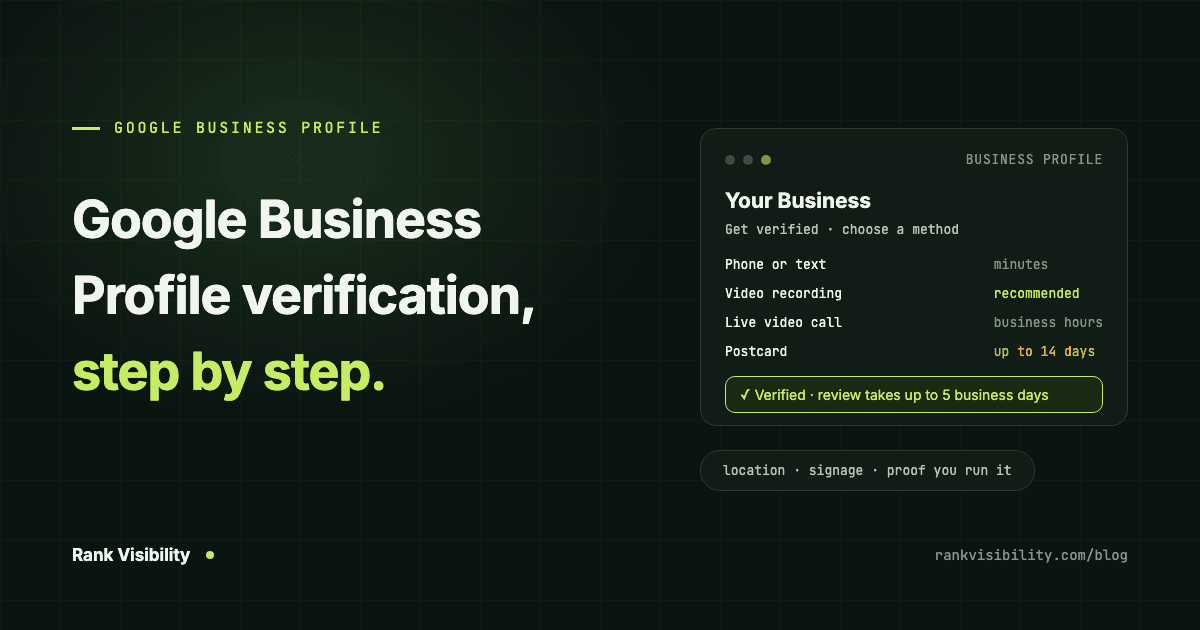
Google Business Profile verification methods
You will see one or more of these when you tap Get verified on your profile.
Phone or text
Google calls or texts a code to the business number, and you enter it on the profile. It is the fastest option when it is offered, often done in minutes.
Google sends a verification email to an address shown on the verification screen. You follow the steps in it. Make sure you can actually access that inbox before you choose this.
Video recording
Google recommends this method whenever your business is eligible. You record a short video on your phone, through your Business Profile, and upload it for review.
Google's video verification page sets out the rules. The video must be:
- a single, unedited, continuous recording with no breaks
- at least 30 seconds long
- recorded live and uploaded from a mobile device through your Business Profile, not filmed earlier and uploaded later
For a business with a storefront, the video needs to show three things:
- Your location. Street signs, building numbers, neighbouring businesses or landmarks, so Google can match you to the right spot on Maps.
- That the business exists. Your shopfront or signage, with the business name on a permanent fixture. The name must match the one on your profile.
- That you manage it. Something only staff can access: unlocking the door, opening the till, walking into the kitchen or storeroom, or using your point-of-sale system.
For a service-area business, such as a plumber or a home tutor, Google asks for the area you work from, the tools or equipment you use, and proof of management such as a branded van you unlock, or a business document like a permit, invoice or utility bill in the business name.
Keep sensitive information out of the frame. Google says no bank, tax or ID numbers, no private information, and no other people's faces.
Live video call
Some businesses are offered a live call with a Google support representative instead. You start it from the profile, and the representative asks you to show your location, your business and proof that you run it, using your phone camera. Calls are only available during your business hours, and not every business gets this option.
Postcard
Google posts a card with a five-digit code to your business address. Not every business is offered it. If you are:
- Most codes arrive within 14 days.
- Codes expire after 30 days.
- Do not request a second card while you wait. Google invalidates the first code when it sends a new one.
- Do not edit your name, address or category while the card is in the post, or the code will not work.
Instant verification
A few businesses are verified straight away. Google lists two cases: when the business website is already verified in Google Search Console, and when a chain uses bulk verification for many locations at once.
How long does Google Business Profile verification take?
The method itself can take minutes, as with phone and email, or a couple of weeks, as with a postcard. After that, Google reviews what you sent. In its words, verification reviews take up to five business days, and on rare occasions longer.
When it goes through, you get a confirmation email. If the Get verified button comes back afterwards, Google could not complete the check and you need to try again.
Why Google Business Profile verification fails, and how to fix it
Your video was rejected
You will see a Review issues notice on the profile. Google's examples of why a video fails are telling:
- the business name is not visible on the storefront
- no nearby area is shown
- proof of authority to run the business is missing
To fix it, record a new video that includes everything from the first one plus whatever was missing. The most common miss we see is a video that starts inside the shop. Start outside, on the street, pan to the sign, walk in, then show something only staff can open.
There is no permanent sign
If your business has no permanent signage at the address, Google says it should be listed as a service-area business rather than a storefront. Change the setup first, then verify.
You work from home
Do not film inside your house. Set up as a service-area business with the address hidden, and record the landmarks and street signs around you, then your tools, your branded vehicle or a business document in your name.
The address is not a real place to meet customers
A virtual office, a mailbox or a shared address that customers cannot walk into will not pass. If you do not serve customers at a fixed location, the honest setup is a service-area profile.
Your business is online-only
Google is explicit here: an online-only business with no in-person contact is not eligible for a Business Profile at all. No method will verify it.
You keep being asked to verify again
Edits to key details, usually the name, address or category, can trigger re-verification. Make changes one at a time and only when they are real. Rebranding, moving or changing what you sell are good reasons. Chasing a keyword is not.
Nothing works
Try every method Google offers you first. Then contact Google Business Profile support through the help centre. Support is much more willing to help once you can show you have tried the available options.
Never share your verification code
Google says it will never ask you for your verification code, and that you should not share it with anyone, including people who help manage your profile.
If an agency or freelancer asks for your code, that is a warning sign. The right way to bring in help is the other way round. You verify the profile and stay the owner, then add the agency as a manager from your profile settings. You can remove them whenever you like, and they never hold the keys to your business.
That is how we work with every client. You keep ownership, we do the work.
After verification: what to do next
Verification only gets you onto the field. What decides whether customers find you is what you do with the profile afterwards: the right categories, real photos, regular posts, and a steady flow of reviews you reply to. Our guide to restaurant marketing on Google Maps in Dubai shows what that looks like in a busy market, and the same steps apply to most local businesses.
Need help getting verified?
If you are stuck on verification, or verified and still invisible on the map, we can help. Our Google Business Profile optimization service covers verification, cleanup and monthly management, and our local SEO services cover the website and listings around it. We also run this work city by city, with dedicated pages for Mumbai, Delhi, Bangalore and Hyderabad.
Tell us about your business and we will tell you what is holding your profile back.